Workflow automation is one of those terms that sounds technical but describes something every business owner already understands: there are tasks in your business that happen the same way, every time, and someone has to do them manually. Workflow automation is the process of making those tasks happen automatically.
This guide explains what workflow automation actually means in practical terms, what kinds of businesses benefit most from it, and how to figure out where to start.
What is workflow automation, in plain terms?
A workflow is a sequence of tasks that happen in a predictable order. When a customer places an order, for example: the order gets recorded, a confirmation email goes out, inventory gets updated, the warehouse is notified, a shipping label is generated, and the customer gets a tracking number. That is a workflow.
Workflow automation means connecting the tools and systems involved so that when one step happens, the next step happens automatically — without anyone manually doing it.
In 2026, workflow automation tools like n8n, Zapier, and Make (formerly Integromat) allow businesses to connect almost any software tool — their CRM, email, WhatsApp, Google Sheets, payment gateways, ERP systems, and more — into automated flows that run without human intervention.
A customer fills out a contact form on your website. Automatically: their details are added to your CRM, a welcome email is sent, a WhatsApp message goes out, and your sales team gets a Slack notification. No one had to manually do any of those four steps — the workflow handled all of it.
What kinds of tasks get automated?
The most valuable automation targets share a common profile: they are repetitive, rule-based, and happen frequently. Here are the most common workflow automation use cases for Indian businesses:
Lead and customer management
- New leads from web forms or ads automatically added to CRM
- Automatic welcome emails and WhatsApp messages to new leads
- Lead assignment to sales team members based on rules
- Follow-up reminders triggered after a set number of days without contact
Order and operations
- Order confirmation and shipping notifications sent automatically
- Inventory levels updated across systems when orders are placed
- Low-stock alerts sent to the purchase team
- Invoices generated and sent automatically after payment
Internal operations
- Employee onboarding tasks assigned automatically when a new hire joins
- Weekly reports compiled and emailed to management
- Document approvals routed to the right people automatically
- Data synced between multiple tools without manual export/import
Marketing and communication
- New blog posts or social media content distributed across channels
- Customer segments updated based on purchase behaviour
- Review requests sent automatically after delivery
- Re-engagement messages triggered when customers go inactive
Real examples from Indian businesses
Which businesses actually need workflow automation?
Not every business is at the right stage for workflow automation. It makes the most sense when:
Your business is ready for workflow automation if:
- Your team spends significant time on repetitive, manual tasks
- Important follow-ups or notifications are falling through the cracks
- You are scaling and the same manual processes that worked at 50 orders do not work at 500
- Data exists in multiple tools and someone manually copies it between them
- Your team does the same sequence of steps every time a certain trigger happens
- Errors or delays in manual processes are causing customer complaints
If your business is very early stage, running fewer than 20-30 transactions or leads per day, and your team has the capacity to handle things manually without dropping balls — automation is probably not urgent yet. Build your processes manually first, then automate what is working.
How to get started
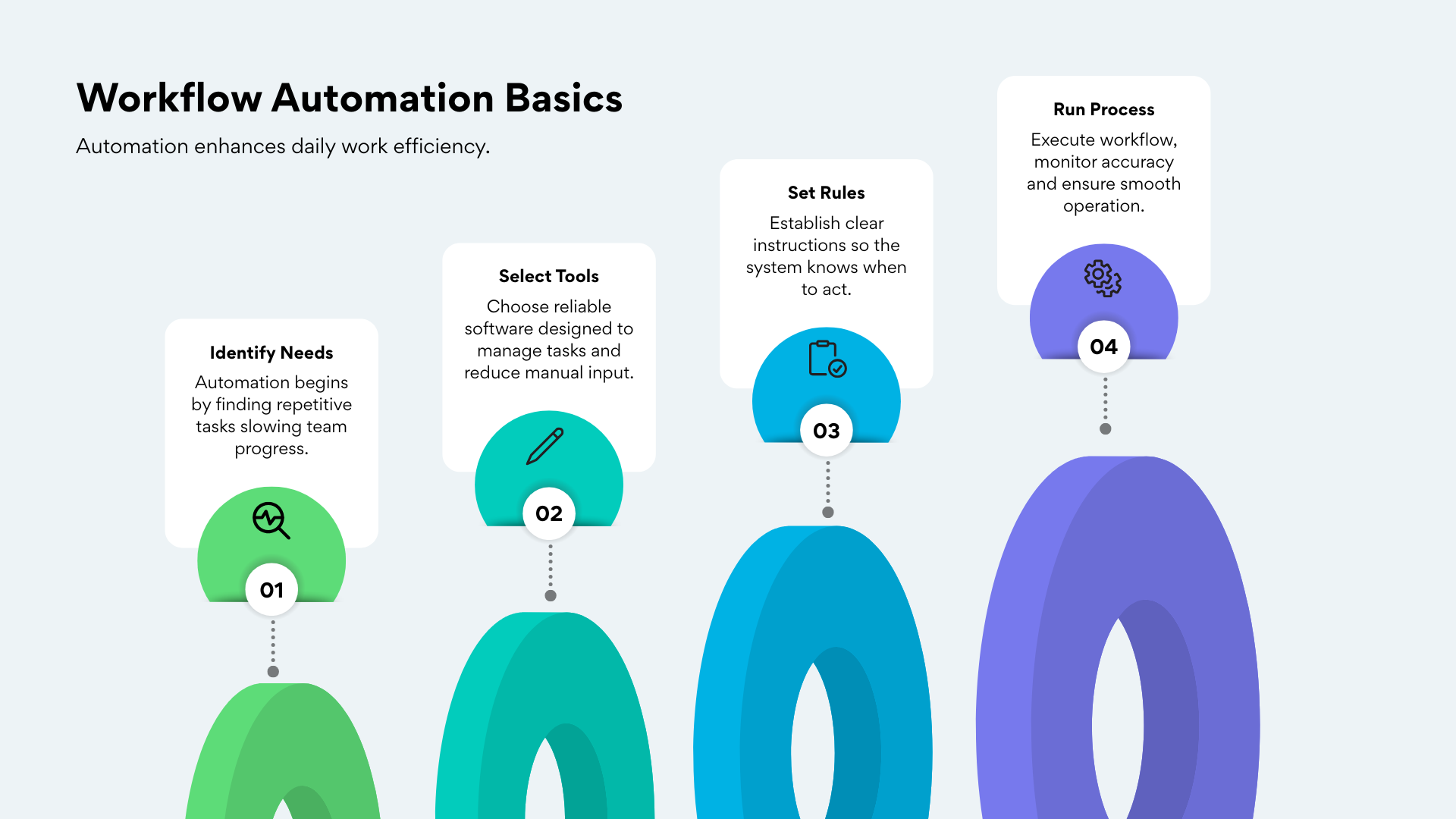
The mistake most businesses make is trying to automate everything at once. The right approach is to pick one workflow — the one that causes the most pain or takes the most time — and automate that first.
- Map the workflow — write out every step that currently happens manually, in order. Where does it start? What triggers it? What are the steps? Where does it end?
- Identify the tools involved — which software is used at each step? CRM, email, WhatsApp, Google Sheets, payment gateway?
- Build the automation — connect the tools so each step triggers the next automatically. This is where tools like n8n or a custom API integration come in.
- Test thoroughly — run the automation with real scenarios and check every step produces the right output.
- Monitor and optimise — automation is not set-and-forget. Monitor it for the first few weeks and refine as edge cases emerge.
Want workflow automation built for your business?
We map, design, and build workflow automation for Indian businesses — connecting your existing tools and eliminating the manual steps that slow your team down. From simple lead flows to complex multi-system integrations.
Tell us about your workflows